THE TAPE LOOP INSTRUMENT

Tinker TNK

Five tape loops. One desk.
No two takes alike.

Drop in five sounds, press play and let them drift. For Mac, as AU, VST3 or a standalone app.

Get the free beta Read the manual

Beta 0.9 · Apple Silicon and Intel · macOS 11 or newer
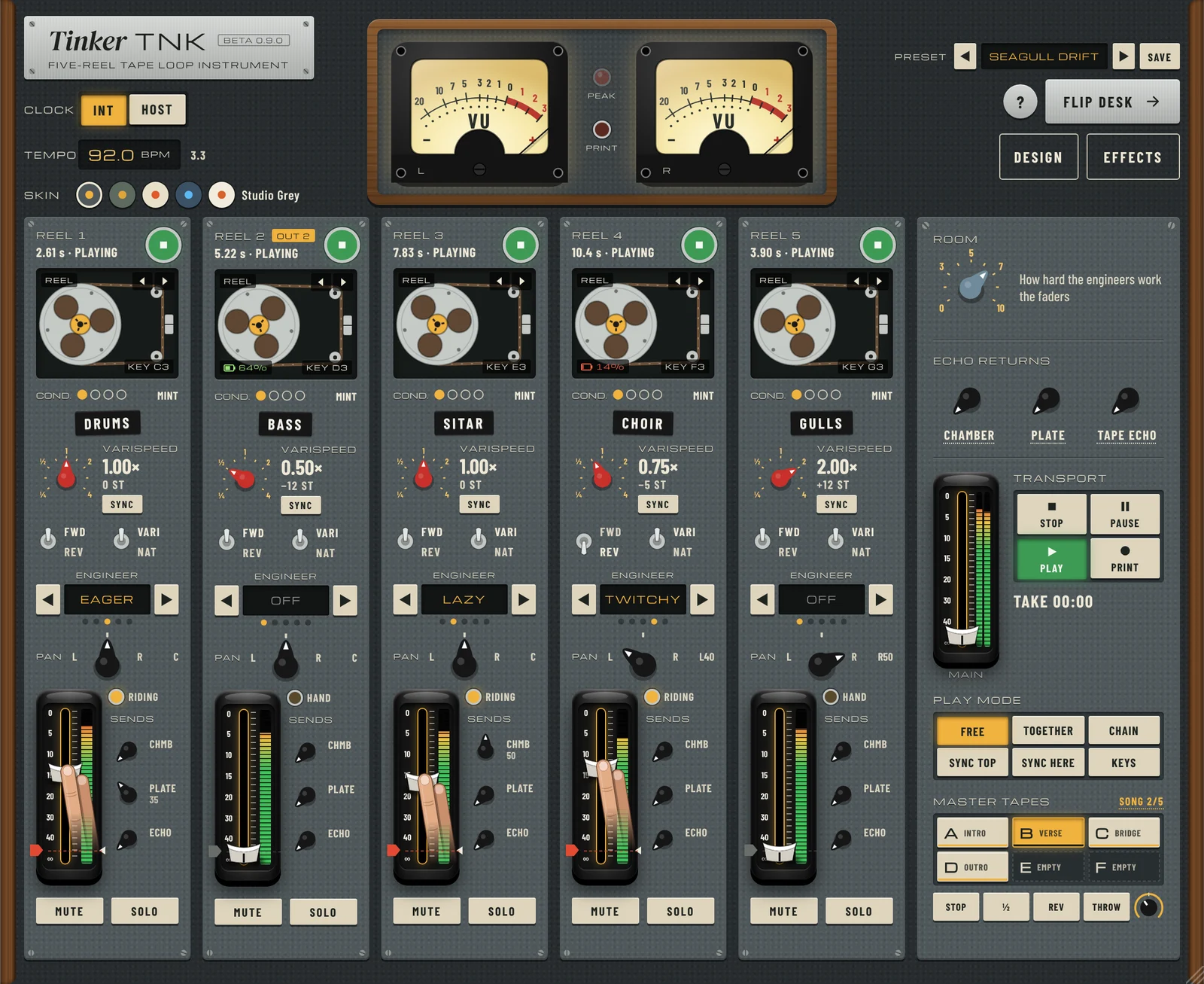
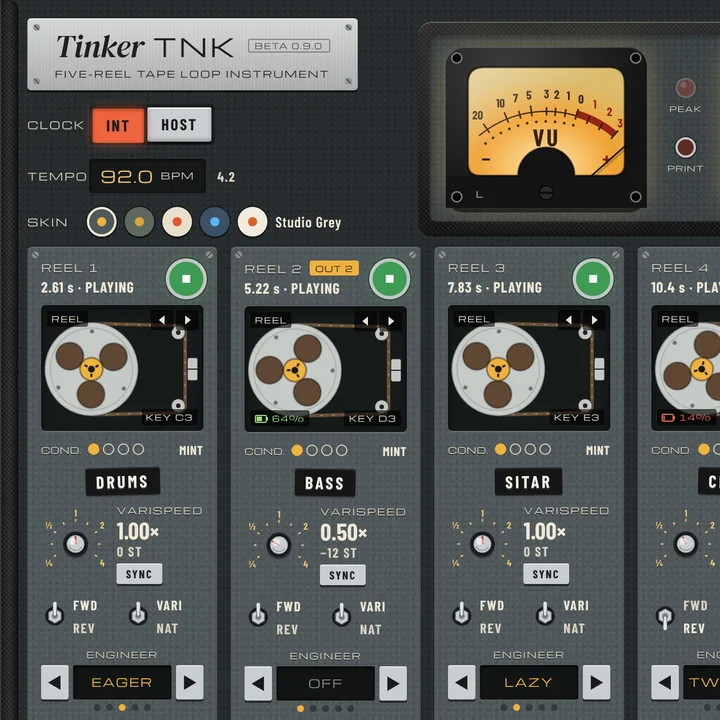
The Tinker TNK desk with five reels playing, a VU meter bridge, two machines on batteries, and the room, transport, play mode and master tapes on the right

THE TRICK

The sixties studio trick, in your DAW

Splice a few seconds of tape into a ring and it plays forever. Run five rings of different lengths at once and they never line up the same way twice.

Tinker TNK gives you the machines, the desk and the engineers. You bring the sounds.

Everything wobbles

Six machines

Reel, cassette, vinyl, cart and two 12-bit samplers. Each one wears the loop its own way.

Varispeed anything

Quarter speed to four times, forwards or back. The pitch follows the tape, or stays put.

Hire an engineer

Hand over a fader and they ride it for you. Lazy, eager or twitchy.

Patch the back

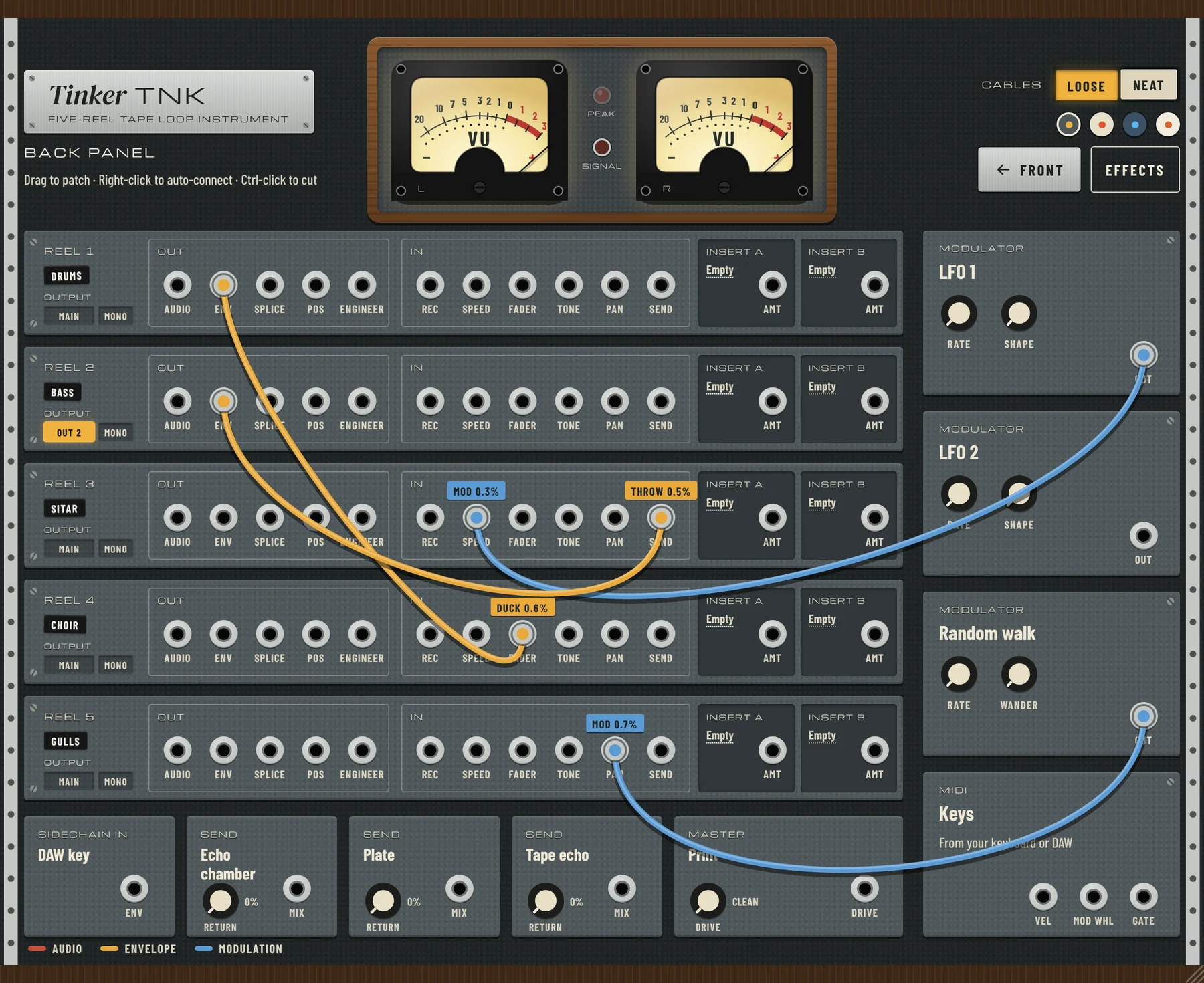
Flip the desk. Run cables from LFOs, random and the reels into almost anything.

Two effects a reel

Rotary, double tracking, stutter, valve, DJ filter and crusher.

Six master tapes

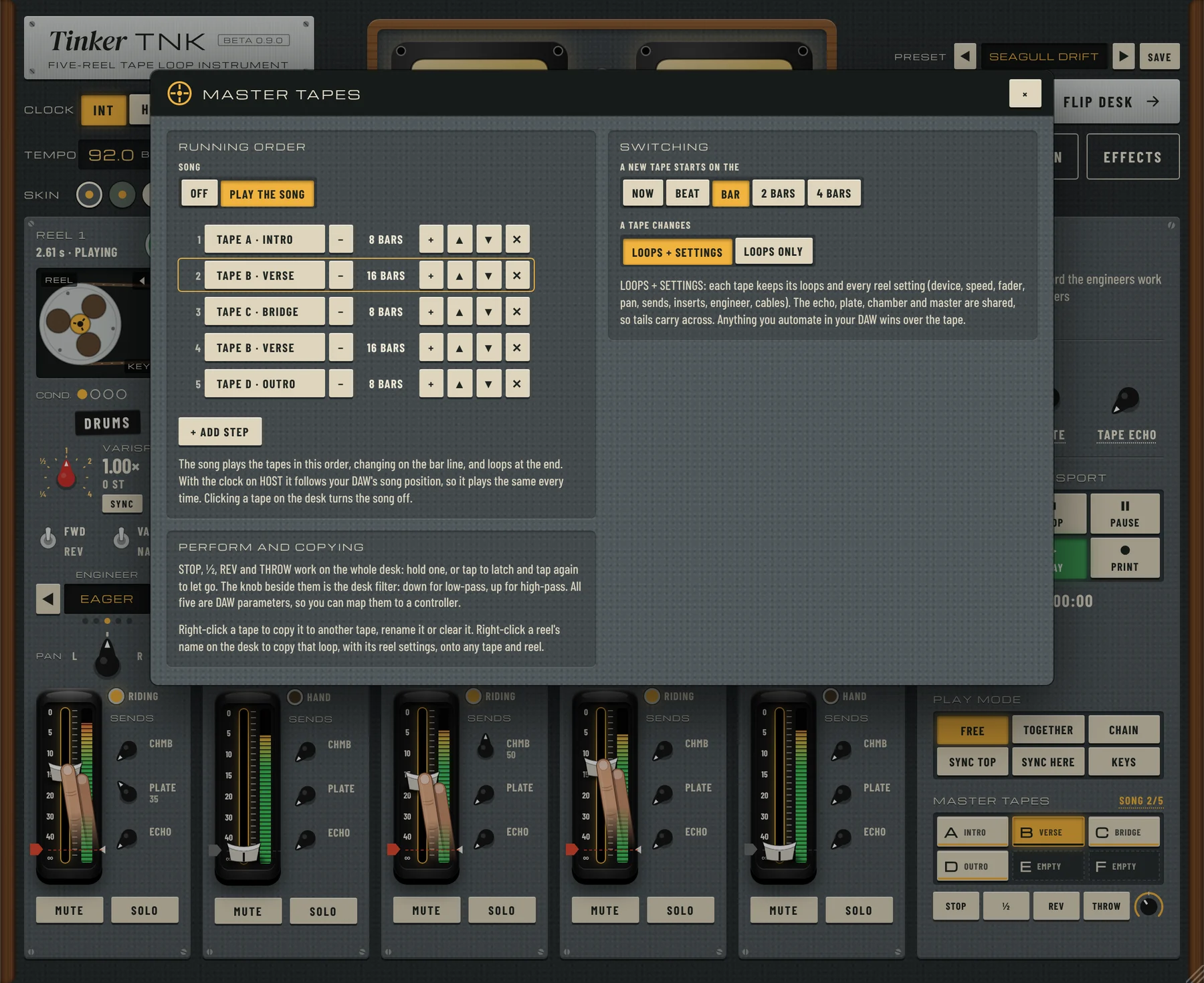
Six versions of the desk. Swap them on the bar, or play them in order as a song.

Play the whole desk

Tape stop, half speed, reverse, echo throw and a filter, across every reel at once.

Runs on batteries

Unplug a machine and it slowly runs down, sags, then grinds to a halt.

Pick your hardware

Six hardware packs, from British studio steel to Soviet bakelite. Swap any part.

Make a mess

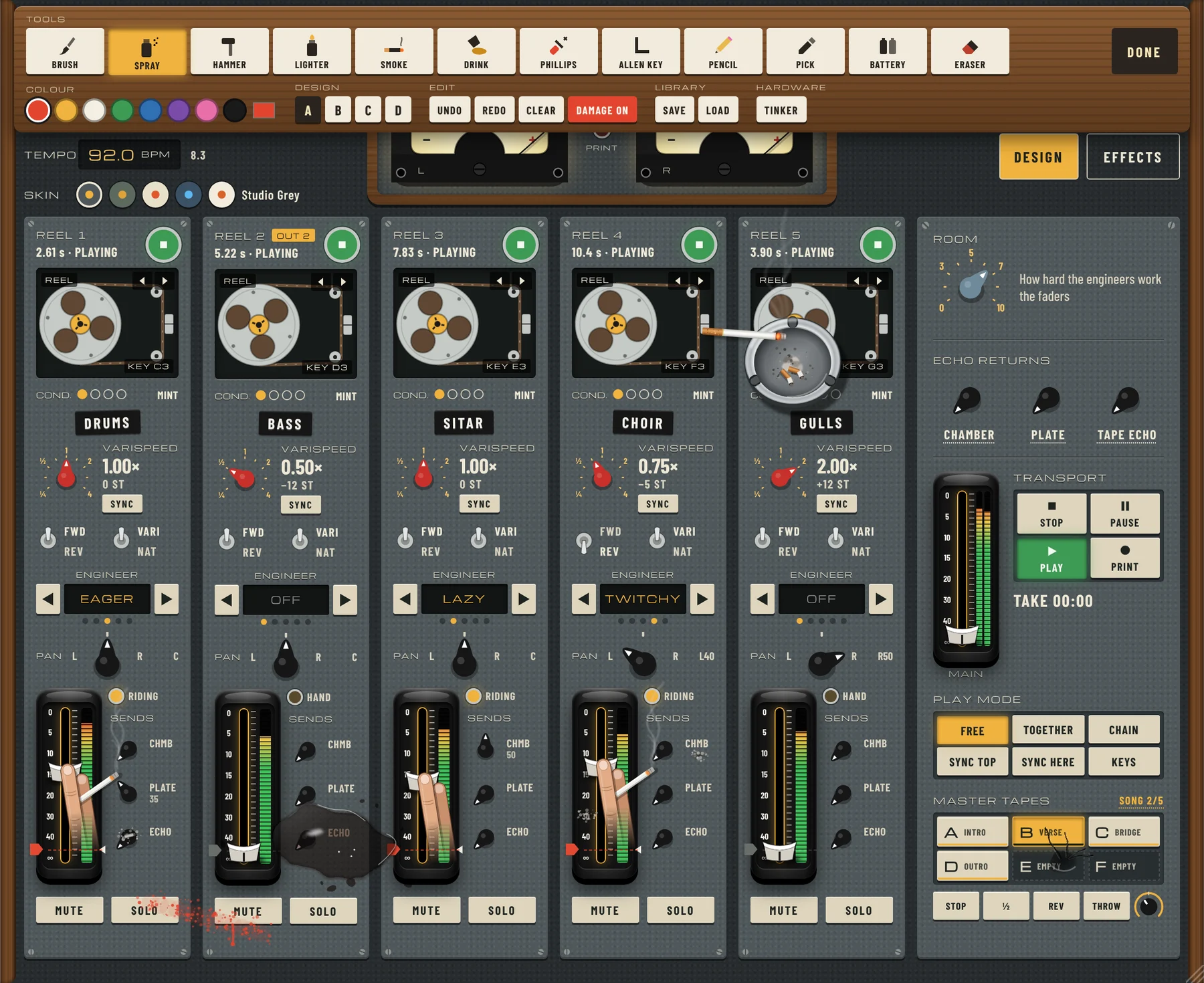
Smoke on it, spill on it, take a hammer to it. Damage changes the sound until you fix it.

A track per reel

Send each loop to its own channel in Logic or Ableton.

Shows you round

A one-minute tour on first launch. Skip it, or call it back with the ? button.

PICK YOUR HARDWARE

Six desks in one

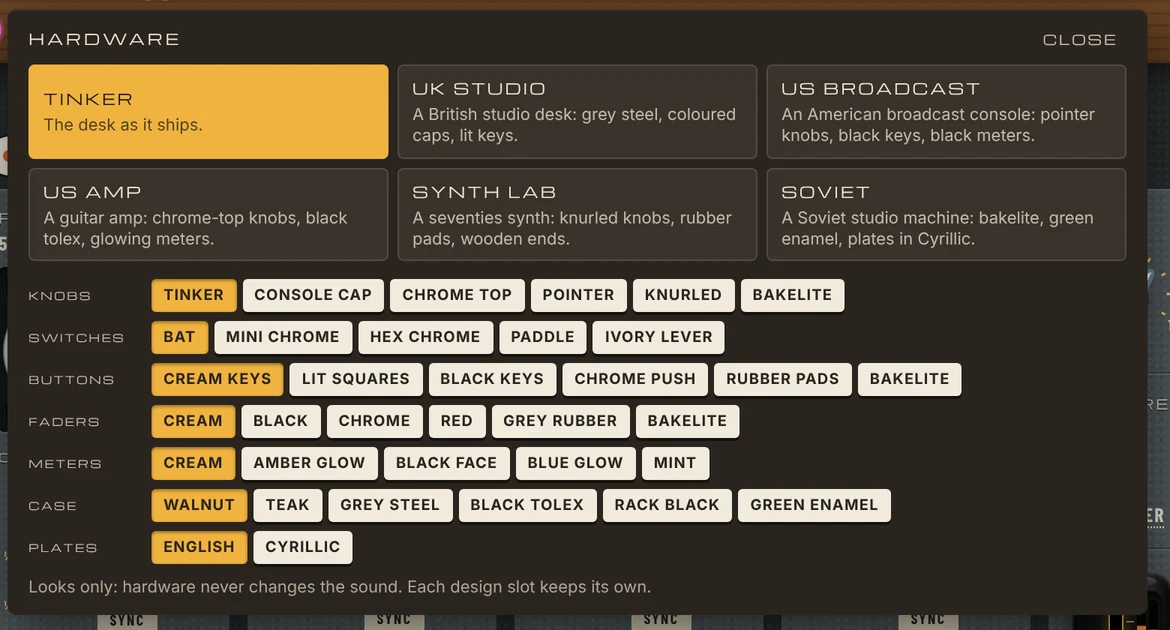
Start from a pack, then swap any part: knobs, switches, keys, faders, meters, the case and the badges. Looks only. The sound stays yours.
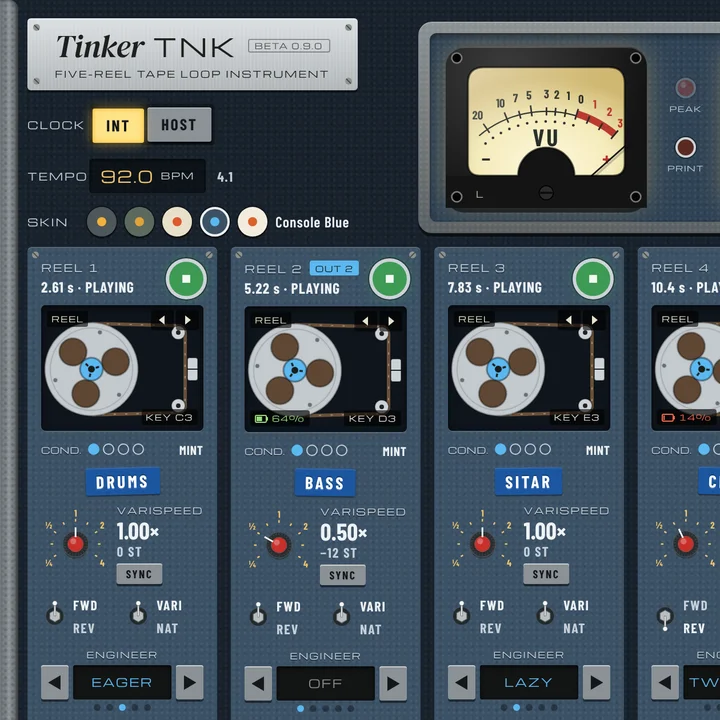
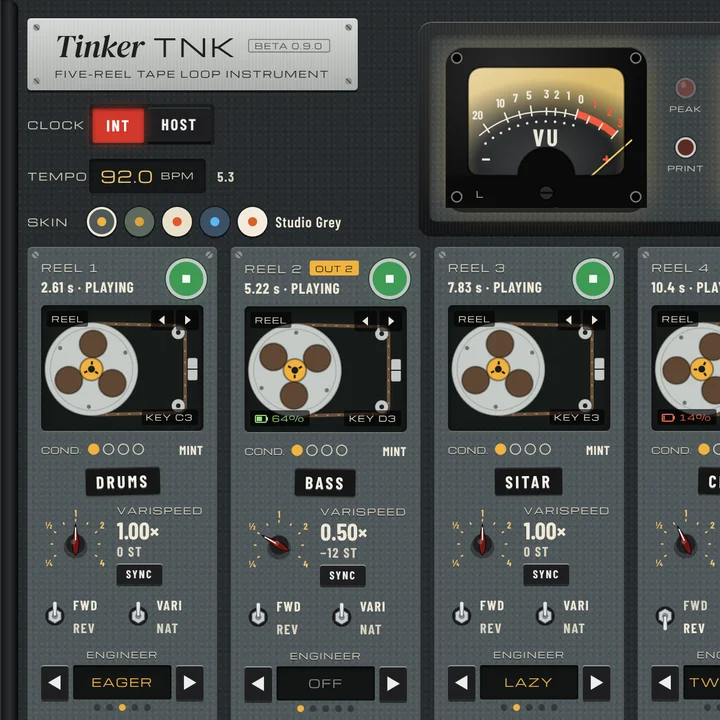
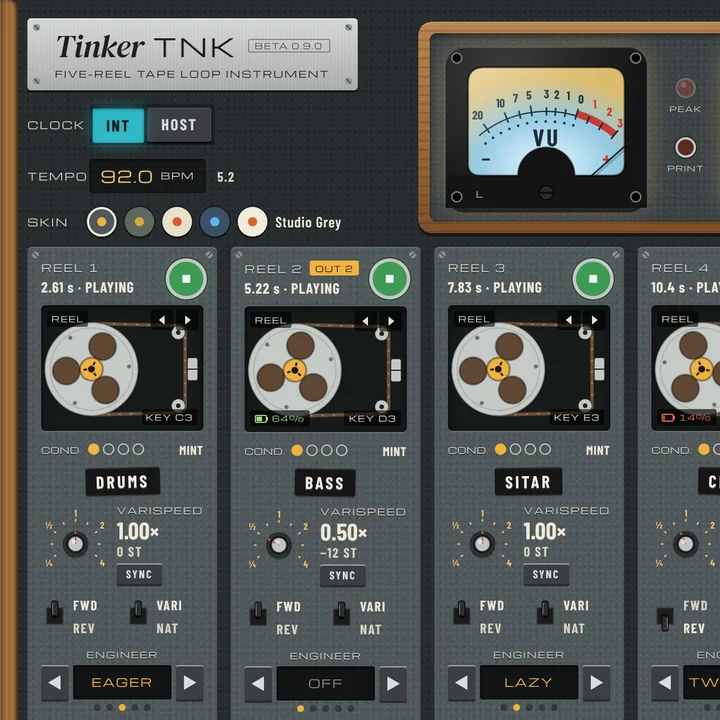
The UK STUDIO pack: grey steel case, coloured console caps and lit keys
UK STUDIO
The US BROADCAST pack: rack-black case, pointer knobs, black keys and black-faced meters
US BROADCAST
The US AMP pack: black tolex, chrome-top knobs, red fader caps and amber meters
US AMP
The SYNTH LAB pack: teak ends, knurled knobs, rubber pads and blue meters
SYNTH LAB
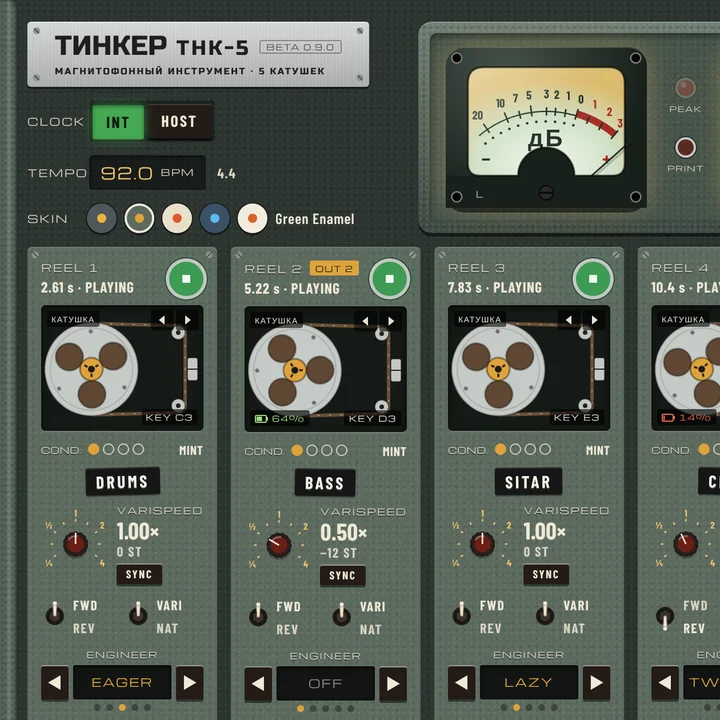
The SOVIET pack: green enamel, bakelite knobs and keys, and the name plate in Cyrillic
SOVIET
The hardware picker in design mode, with six packs and rows of parts for knobs, switches, buttons, faders, meters, case and plates
Each of the four design slots keeps its own hardware, so you can flip between looks mid-session.

MAINS OR BATTERY

Let it run down

Put a machine on batteries and watch the gauge fall while it plays. Below a quarter it sags: the pitch droops, the tape wobbles, the level dips. Flat, it grinds to a stop. Fresh batteries are one click away in the design tray.
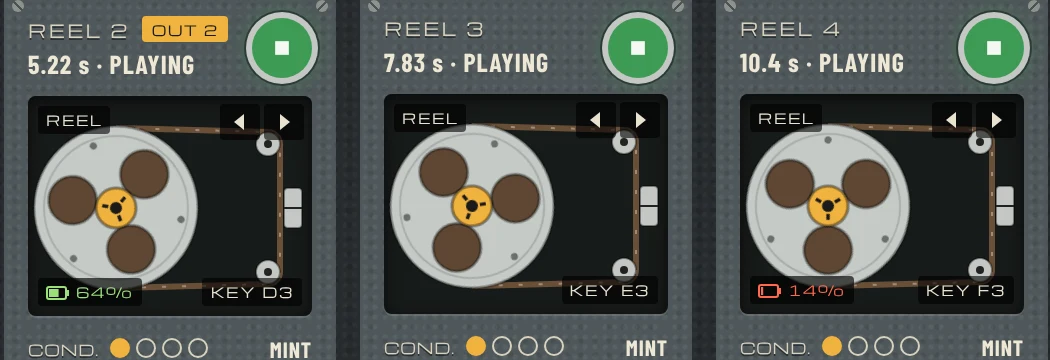
Three machine windows: one battery gauge at 64 percent, one machine on mains, and one battery at 14 percent glowing red

FIRST TIME IN

A minute to find your way

The first launch opens a short tour that lights up each part of the desk in turn. Skip it if you would rather dive in. The ? button brings it back.
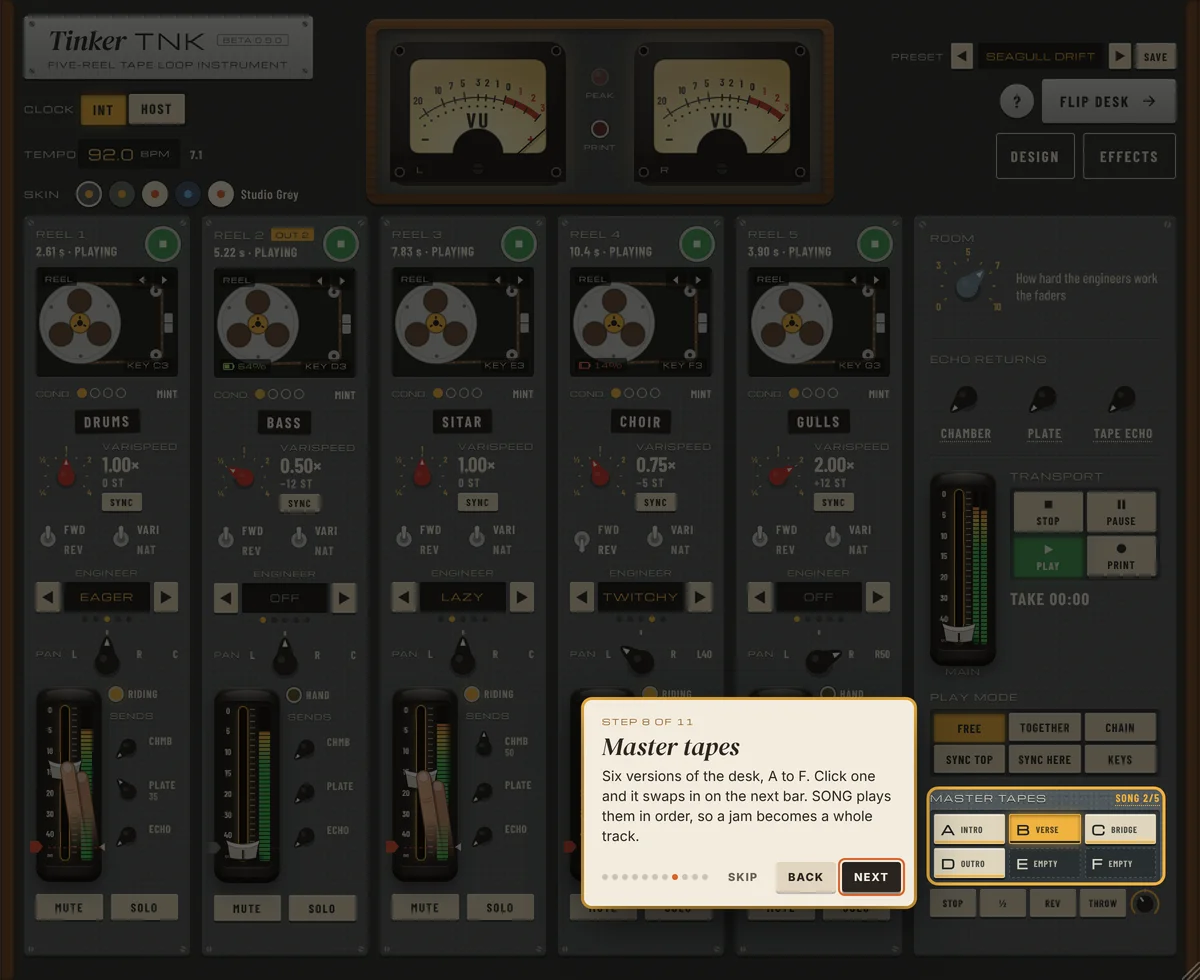
The tour: the desk dimmed, the master tapes lit up, and a card explaining them with back, next and skip buttons

LOOK INSIDE

Turn it round, open it up

The back panel, with cables running from reel outputs and modulators into other reels' inputs, and two insert slots per reel
The back. Drag a cable from any socket to another and choose what it does.
Design mode, with the tool tray above the desk, a cigarette resting in a metal ashtray, engineers smoking at the faders, and a spilled drink on one strip
Design mode. Paint, spray, smoke, spill and repair. Four looks per project.
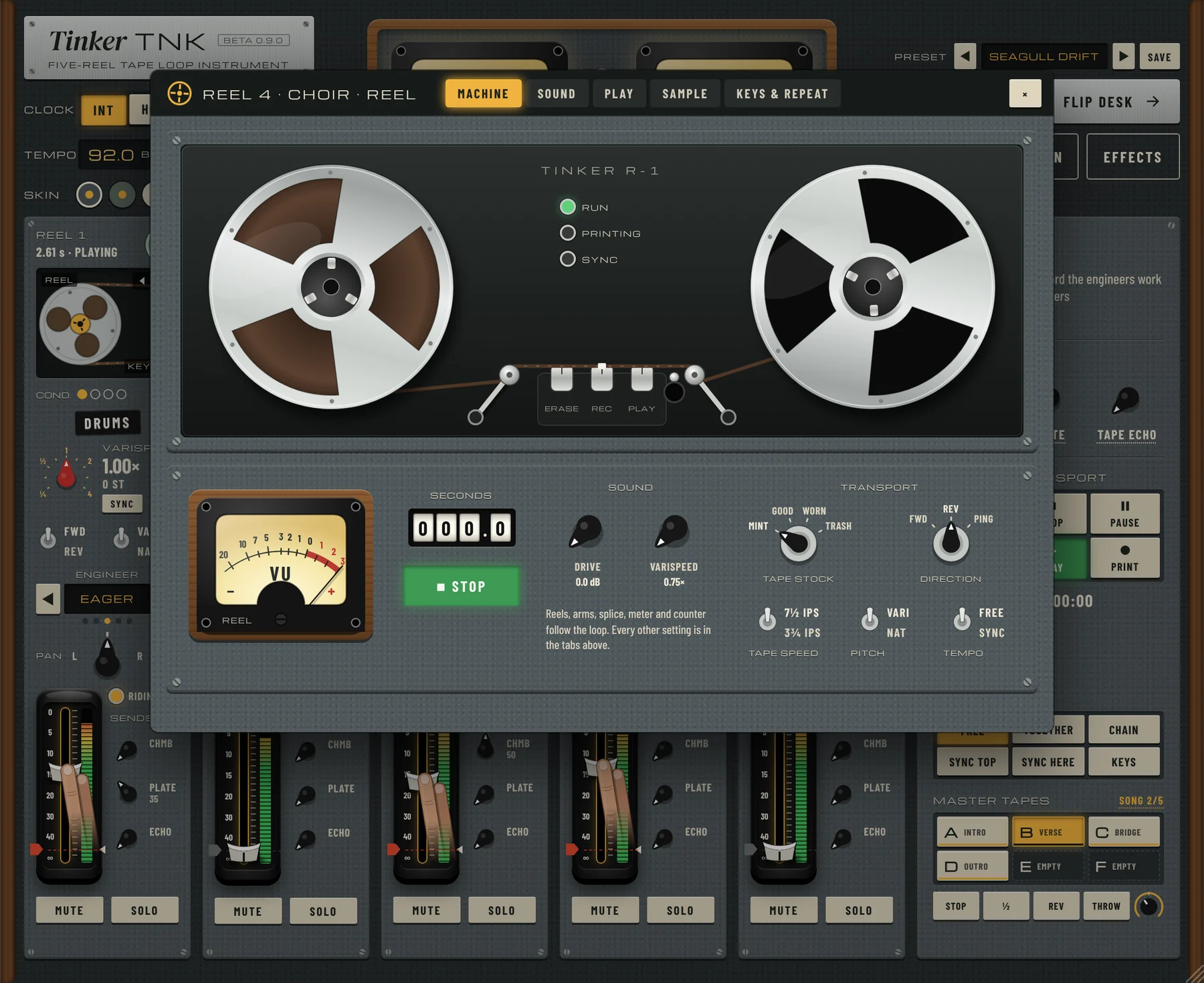
A reel machine opened up, with spinning spools, a VU meter, a tape counter, tape stock, speed and direction controls
Inside a machine. Tape stock, speed, direction, slices, keys and repeats.
The master tapes panel, with a running order of tapes and bar counts and the switching settings
The running order. Line up the tapes, set the bars, call any of them back live.

Drop. Spin. Wander.

1

Drop

A break, a drone, a voice, a field recording. Up to five of them.

2

Spin

Press play. Pick machines and speeds, and let an engineer or two take the faders.

3

Wander

Patch the back, swap tapes on the bar, lean on the perform keys. Hit PRINT to keep it.

Lost on the desk?

Click any part of the desk, front or back, and the manual tells you what it does.

Open the manual

BETA 0.9 FOR MAC

Come and break it

A free test build for friends. Things will wobble. Tell me when they fall over.

You need

  • macOS 11 (Big Sur) or newer
  • An Apple Silicon or Intel Mac
  • Logic, Ableton Live or any AU or VST3 host. Or use the standalone app.

Install

  1. Unzip the download.
  2. Open Terminal, type bash and a space, drag in install.sh, press Return.
  3. Open your DAW. The tour starts on first launch.

Tell me

  • What you did, and what happened
  • Your DAW, macOS and Mac
  • A screenshot or a short recording
  • What confused you, and what you kept coming back to
Download the beta for Mac Version 0.9.0 · zip

Why Terminal? The beta is not signed with an Apple developer certificate yet. The installer clears the download block for you, so there is nothing to change in System Settings and no password to type.